仙剑奇侠传6切换独显的方法 双显怎么变独显
发表时间:2016-08-02来源:网络
仙剑奇侠传6中很多玩家遇到了游戏运行十分缓慢的问题,这时候只要切换成独显就可以了,下面小编就来给大家介绍一下仙剑奇侠传6切换独显的方法,希望能帮助各位玩家!
仙剑奇侠传6 中文版:http://www.cr173.com/game/125637.html
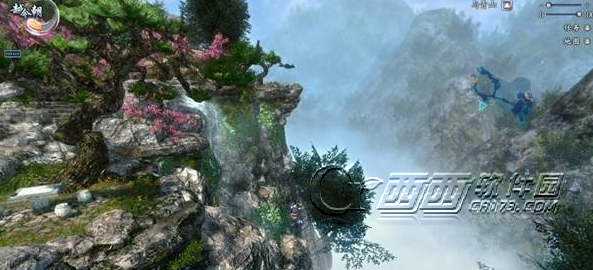
仙剑奇侠传6双显卡切换独显方法:
1) Open nvidia Control Pane--l打开Nvidia控制面板
2) Select Manage 3D settings from the left window pane--在左边选择管理3D设置
3) Under Program Settings, click the Add button--在应用程序设置下面,点击添加按钮
4) Select the DMC4SE icon from the list; if it's not visible, manually locate the executable file by clicking the Browse... button.--将仙剑奇侠传6添加进去,如果看不到仙剑奇侠传6,就点浏览,将PAL6的可执行程序添加
5) Once the executable is highlighted, select 'High Performance NVIDIA Processor from the pull-down menu.--添加进去之后,在下面选择“为全局变量使用高性能Nvidia处理器”
6) Click Apply and close the Control Panel--点击“应用”,然后关闭Nvidia控制面板
7) Run the game--运行游戏。
知识阅读









软件推荐
更多 >-
 查看
查看计支宝app下载v3.1.29 安卓版
142.27MB |商务办公
-
 查看
查看小小优酷最新版下载v5.4.6 安卓官方版
68.11MB |影音播放
-
 查看
查看艺图语app下载v3.3.4 安卓免费版
34.33MB |系统工具
-
查看
爱鸽者手机版下载v3.2.9 安卓版
243.57MB |商务办公
-
 查看
查看一品威客网接单app(一品众包)下载v2.7.1 安卓最新版
55.01MB |商务办公
-
 查看
查看诸葛找房网官方版下载v4.8.1.1 安卓最新版
66.6MB |生活服务
-
 查看
查看皓盘云建最新版下载v9.0 安卓版
53.38MB |商务办公
-
 查看
查看ris云客移动销售系统最新版下载v1.1.25 安卓手机版
42.71M |商务办公




-
1
 主公冲冲冲2025最新礼包兑换码一览
2025-03-05
-
2
 怪物猎人荒野超美女生捏脸数据大全
2025-03-05
-
3
 原神触摸10把剑柄解谜攻略|10把剑柄触摸顺序详解
2025-03-05
-
4
 怪物猎人荒野男性角色捏脸推荐|捏脸数据导入教程
2025-03-05
-
5
 怪物猎人荒野大小金冠高效速刷方法分享
2025-03-05
-
6
 原神水仙十字剑怎么精炼|精炼材料获取方法
2025-03-05
-
7
 崩坏3新愿之巅第六关通关攻略
2025-03-05
-
8
 守望先锋2主界面人物更换操作流程
2025-03-05
-
9
 重返未来1999迷思海200m阵容最强搭配推荐
2025-03-05
-
10
 燕云十六声酒肆秘闻全收集攻略|酒肆秘闻位置一览
2025-03-05
-
1

-
2
葫芦侠三楼最新破解版下载v4.4.0.6 安卓版
其它手游 -
3
葫芦侠7楼破解版免费下载v4.4.0.6安卓最新版
其它手游 -
4
葫芦侠八楼免费版下载v4.4.0.6安卓版
其它手游 -
5
葫芦侠3楼破解版免费下载v4.4.0.6安卓手机版
其它手游 -
6
像素漫斗抱歉,“八神庵”是特指游戏角色的专有名词,不存在符合要求的常用同义词近义词。下载v1.00安卓版
其它手游 -
7
葫芦侠4楼破解版游戏修改器下载v4.4.0.6安卓免费版
其它手游 -
8
末日餐厅安卓版下载v1.35安卓版
其它手游 -
9
葫芦侠十楼免费破解版下载v4.4.0.6安卓版
其它手游 -
10
葫芦侠8楼最新破解版下载v4.4.0.6安卓版
其它手游